PDF Reader Lite - Fast Viewer
Omareyah TeamTools
4.013.00 Reviews
- Version
- 1.0.1
- Installs
- 100.00K
- Age Rating
- Everyone
Screenshots
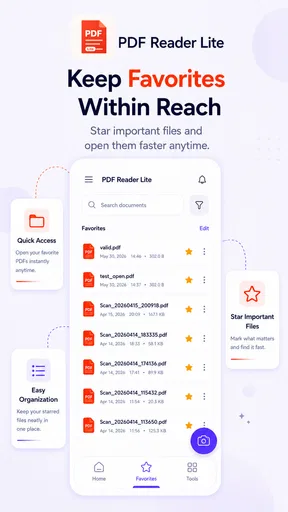
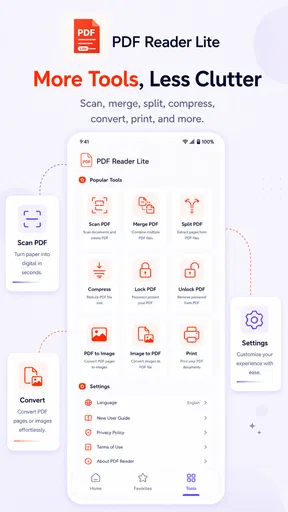
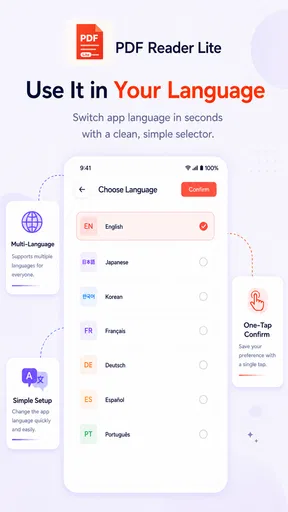
Our Review of PDF Reader Lite - Fast Viewer
 Analysis by Appyee
PDF Reader Lite - Fast Viewer is the kind of tool I can understand immediately: open a document, read it, mark it up, and handle a few common PDF jobs without leaving the app. After using it, I found its strongest appeal is not novelty but convenience. It brings viewing, drawing, annotation, splitting, and merging into one lightweight-looking workspace, which is useful when I need to deal with a document quickly rather than build a full document-management system.
The app comes from Omareyah Team and sits in the Tools category. It is free, rated for Everyone, and available for devices running Android 8.0 or later. Its current version is 1.0.1, and the app has already passed over 100 thousand installs. Those details make it approachable for casual users, students, families, and anyone who wants a straightforward PDF utility without committing to a paid office suite.
What feels useful during the first week
My first impression was that the app makes sense for short, practical sessions. A PDF reader should not require a long learning period, and this one is aimed at the moment when I receive a form, guide, handout, receipt, or set of notes and simply need to inspect it. The combination of reading and editing tools is more useful than a viewer that only opens files, especially when I want to circle a paragraph or add a quick reminder.
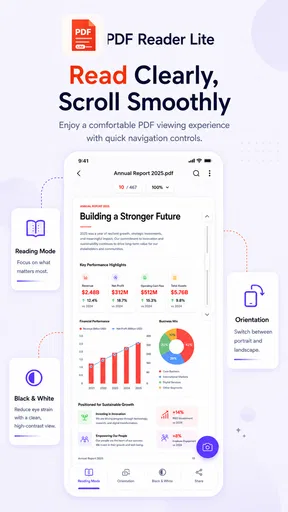
The reading side is the foundation. I would use it for opening documents on a phone, checking pages while away from a computer, or keeping reference material available during a commute or appointment. The “Lite” positioning also sets a sensible expectation: this is best approached as a focused PDF tool, not as a complete replacement for every desktop publishing or office application.
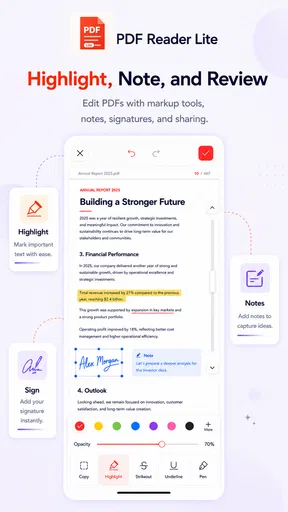
Annotation is where the app becomes more practical in everyday use. Drawing directly on a page can be faster than typing a comment, particularly when I am reviewing a diagram, marking a section in class notes, or pointing out an item in a scanned document. A quick handwritten-style mark can communicate attention more naturally than a separate message explaining which area matters.
I also like the presence of splitting and merging in the same app. These are tasks people often postpone because they seem to require a computer. Splitting is useful when I only need to send selected pages from a longer document. Merging helps when related files are scattered across several PDFs and I want one orderly file for reading or sharing. Having both options nearby reduces the need to switch between multiple utilities.
A realistic example is preparing paperwork for an appointment. I might open a long information pack, mark the pages that apply to me, separate the relevant section, and combine it with another PDF containing supporting notes. I would not need a full desktop editor for that workflow. The value comes from completing several small jobs in sequence, rather than from any single spectacular feature.
Small workflows that make the tool more valuable
One useful habit is to treat the app as a preparation step before sharing a document. Instead of sending an entire file when only a few pages matter, I can split out the useful portion first. That makes the result easier for the recipient to read and easier for me to find later. It also avoids the common problem of asking someone to search through a large document for one relevant page.
Merging can serve the opposite purpose. If I keep a cover sheet, instructions, and personal notes in separate files, combining them creates a single reference document. I would use this for a study packet, a travel folder, or a project checklist. The trade-off is that a merged file can become harder to update if the source documents change, so I would keep the originals until I am sure the combined version is final.
Drawing is most effective when I use it sparingly. A few circles, arrows, or underlines can make a page easier to revisit. Covering every paragraph with marks would make the document tiring to read, so I see the annotation tools as a way to emphasize decisions and questions, not as a substitute for a full note-taking system.
Another practical tip is to review the finished file immediately after an edit. On a phone, it is easy to make a mark in the wrong place or split a document more broadly than intended. Opening the output again and checking the page order takes little time and prevents an avoidable sharing mistake. This is especially important when the PDF contains forms or instructions where page sequence matters.
Who will appreciate it quickly
I think the app is a good match for people who handle PDFs occasionally but need more than simple reading. Students can mark study material, combine handouts, and extract selected pages. Office workers can review documents away from a desk and prepare smaller attachments. Families can keep practical paperwork together without learning a complicated editor. It also suits anyone who prefers a single utility over installing separate apps for viewing, drawing, splitting, and merging.
The free price lowers the risk of trying it. For an occasional user, that matters because PDF editing tools can feel excessive when they are only needed once or twice a month. The Everyone content rating also makes it a comfortable general-purpose choice for shared devices and ordinary household use.
However, I would not choose it as my main professional document environment without testing my exact workflow first. People who need advanced form handling, detailed layout control, document signing, optical character recognition, or sophisticated cloud collaboration may be better served by a larger office or PDF platform. PDF Reader Lite - Fast Viewer is more convincing as a practical utility than as an all-in-one production suite.
Whether it earns a place after the novelty fades
I’d judge its staying power by whether those occasional PDF chores keep returning in your routine, not by how many tools appear at first glance. For me, the useful test is to try one complete, low-stakes workflow and see whether the finished files are easy to review and organize. That separates a handy everyday shortcut from an app that merely looks useful on installation.
Month-to-month value comes from repeated small jobs
The first week is easy to enjoy because the app gathers several familiar actions in one place. The more important question is whether I would still open it later. In my view, its lasting value depends on how often PDFs appear in my normal routine. If I regularly receive documents that need marking, trimming, or combining, those modest capabilities can become a reliable habit.
The app does not need to be used every day to justify itself. A tool can earn its place by saving time during occasional but annoying tasks. When a long document arrives before a meeting, when a teacher sends several files, or when a form needs a quick visual note, having a ready PDF workspace is more convenient than searching for a new solution each time.
The rating of 4.0 from around 267 ratings suggests a generally positive reception with room for individual preferences and limitations. I would read that as a reason to keep expectations balanced: the app is worth trying for its focused purpose, but it should not be judged as though it were a feature-heavy desktop editor.
Long-term usefulness also comes from remembering a simple workflow. Open the source file, inspect it, make only the necessary marks, split or merge if needed, then reopen the result. That sequence is easy to repeat, and repeatability is more important than a flashy first impression in a utility app.
Maintenance is light, but file organization still matters
The app itself appears easy to fit into a normal phone routine because its purpose is narrow. The real maintenance burden comes from the documents I create around it. Once I start producing edited, split, and merged copies, filenames can become confusing. I would use clear names that indicate the content and status, such as a subject followed by “marked” or “final,” rather than relying on a string of indistinguishable copies.
This is a small but important distinction: a PDF utility can simplify editing while still leaving organization to the user. I would avoid repeatedly merging temporary files into a master document unless I have a clear reason. Keeping a clean source folder and a separate output folder makes it easier to undo a decision later.
For recurring study or work, I would also review older edited files periodically. Annotations can be useful during a project but unnecessary afterward. Removing outdated copies keeps the phone from becoming a maze of nearly identical documents. The app helps with document actions; it does not replace a personal filing habit.
Version 1.0.1 makes me view the app as a relatively early product rather than a mature document ecosystem. That is not automatically a problem for a simple reader, but it reinforces the value of checking important outputs carefully. For routine, low-risk documents, the convenience is appealing. For paperwork with serious consequences, I would still verify the final file on another reader before sending it.
Where fatigue can appear
The main source of fatigue is the phone screen itself. Reading a long PDF, drawing precise marks, and checking page order are all more demanding on a small display than on a tablet or computer. I can see the app being excellent for quick interventions but less comfortable for extended editing sessions. If a document requires careful formatting across many pages, the convenience of mobile access may be outweighed by the effort of working at that scale.
Another possible friction point is the difference between simple annotation and formal document review. A drawn circle or handwritten note is fast, but it may not provide the structure that a professional reviewer expects from threaded comments, revision tracking, or organized feedback. For personal notes, that simplicity is a strength. For collaborative review, it can become limiting.
Splitting and merging also deserve deliberate use. They solve clear problems, but every file operation creates another version to identify and manage. If I am handling many related documents, the process can become repetitive. I would use the tools for purposeful outputs rather than repeatedly rearranging files just because the options are available.
There is also a trade-off between a compact tool and a broad alternative. A full office suite may offer stronger integration with word processing, spreadsheets, storage, and collaboration. A dedicated professional PDF editor may provide deeper control over forms, signatures, and document security. PDF Reader Lite - Fast Viewer is attractive when I want a focused PDF task completed quickly, not when I want one app to manage an entire document workflow.
Questions I would consider before installing
If I only need to read PDFs, I would first ask whether the extra editing tools matter to me. A basic built-in viewer may already be enough for occasional reading. This app becomes more worthwhile when I expect to draw on pages, extract sections, or combine files. The decision is less about replacing a default reader and more about adding practical control.
If I need to work offline during travel or in places with unreliable connectivity, I would prepare the files on the device before leaving and test the complete workflow in advance. That is a sensible precaution for any mobile document tool. I would not wait until an appointment or deadline to discover that a particular file needs a different treatment.
If I am sharing sensitive paperwork, I would check the finished document carefully and consider whether the app’s straightforward editing approach matches the privacy and security requirements of the situation. For ordinary notes and low-risk documents, it feels suitable. For highly confidential or legally important material, I would favor a solution with the exact controls required by that task.
If I use an older Android phone, the minimum requirement of Android 8.0 is the key compatibility point. Devices meeting that requirement should be the natural audience, while anyone with an older system would need a different PDF option. On a supported phone, I would still judge comfort by screen size and responsiveness rather than by compatibility alone.
My long-term verdict
After the initial appeal wears off, PDF Reader Lite - Fast Viewer remains useful when it becomes part of a repeatable document habit. I would keep it installed if I often need to make quick marks, isolate pages, or assemble several PDFs into one file. Its lasting strength is the combination of those jobs in a free, approachable Tools app rather than a single specialized feature.
I would skip it if my needs are limited to passive reading, or if my work depends on advanced professional editing and collaboration. In those cases, a simpler viewer or a more comprehensive PDF platform would be a better fit. The app is at its best in the middle ground: more capable than a reader, less demanding than a full document suite.
My recommendation is to try it with a real but non-critical workflow during the first few days. Open a longer document, add a few restrained annotations, split out a useful section, merge two related files, and inspect the results. That test will quickly show whether the controls suit your habits and whether a phone is comfortable enough for your documents.
For me, the app earns lasting space not through constant use but through dependable usefulness at inconvenient moments. A free PDF tool that can handle several everyday jobs is easy to justify when those jobs recur. Just keep your files organized, verify important outputs, and choose a more specialized alternative when your documents demand deeper control. Its real value is practical repetition: fewer app switches when a PDF needs more than reading.
Verdict
Strengths of PDF Reader Lite - Fast Viewer
- Opens PDFs quickly, even on older Android and iOS devices.
- Simple interface makes basic reading easy for first-time users.
- Supports smooth page scrolling and convenient document navigation.
- Useful for viewing saved email attachments and downloaded files.
- Lightweight installation uses less storage than many full PDF suites.
Limitations of PDF Reader Lite - Fast Viewer
- Limited editing tools may disappoint users needing annotations or signatures.
- Advanced file-management features appear minimal compared with larger PDF apps.
- Some documents may display differently if they use complex fonts or layouts.
- May offer fewer cloud-storage integrations than premium PDF readers.
- Ads or upgrade prompts can interrupt the reading experience.
Other Releases by Omareyah Team
View All
PDF Reader - Smart Viewer
Productivity4.0

Phone Cleaner
Tools3.7
Similar Picks in This Category
View All
Google LLC4.0

Gboard - the Google Keyboard
Google LLC4.5

Google Play services
Google LLC4.3

Google Play Store
Google LLC4.9

Files by Google
Google LLC4.5

SHAREit: Transfer, Share Files
Smart Media4U Technology Pte.Ltd.4.3
Frequently Asked Questions
What is PDF Reader Lite - Fast Viewer used for?
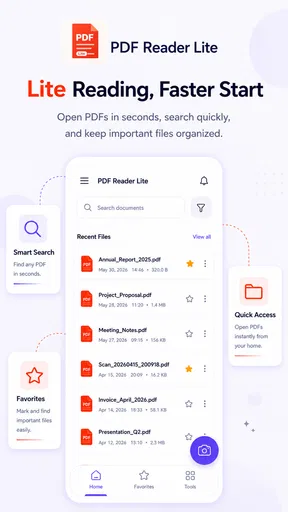
PDF Reader Lite - Fast Viewer is designed for opening and reading PDF documents on a mobile device. During testing, it was useful for viewing ebooks, manuals, invoices, forms, study materials, and downloaded files without needing a full desktop office suite. Its focus is fast document access and straightforward reading rather than advanced PDF editing or document creation.
Is PDF Reader Lite - Fast Viewer free to download and use?
The application is generally presented as a lightweight PDF reader, so users can typically install it without purchasing a premium office package. However, availability of free features, advertisements, optional upgrades, or in-app purchases may depend on the version and platform. Before downloading, check the current store listing carefully to confirm pricing, subscription details, and what features are included.
Can PDF Reader Lite - Fast Viewer open PDFs stored on my phone?
Yes, the main purpose of the app is to locate and open PDF files saved on your device or received through other applications. You can usually access documents from local storage, downloads, email attachments, or file-sharing services by selecting PDF Reader Lite from the system share or open-with menu. File access permissions may be required for scanning and displaying stored documents.
Does PDF Reader Lite - Fast Viewer work without an internet connection?
Once the application is installed, locally stored PDF documents can generally be read without an active internet connection. This makes it practical for flights, commuting, classrooms, or areas with unreliable service. Internet access may still be needed for downloading files, opening documents stored in cloud services, displaying advertisements, checking updates, or using any online features offered by the particular version.
Is PDF Reader Lite - Fast Viewer suitable for editing or signing PDF files?
PDF Reader Lite - Fast Viewer is primarily intended for viewing and reading documents, not for replacing a complete PDF editor. Basic functions such as page navigation, zooming, searching, and possibly sharing may be available, but advanced tools like editing text, rearranging pages, converting files, filling forms, or adding legally recognized signatures may be limited or unavailable. Users needing those features should verify the app description before installation.
